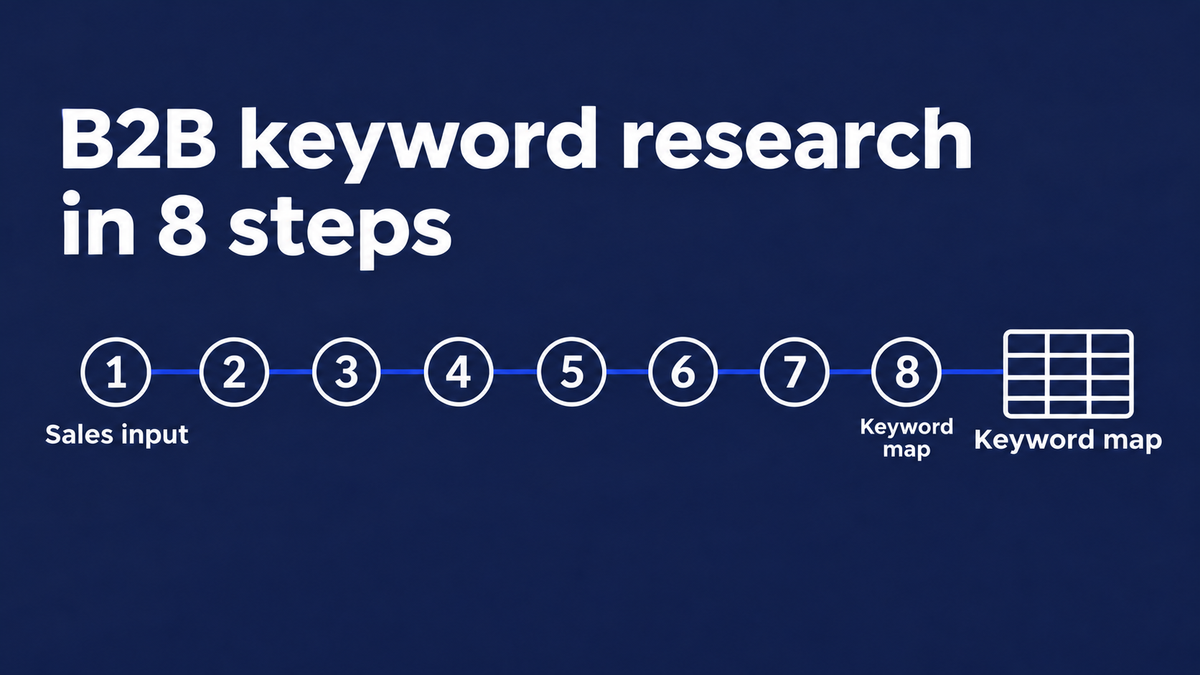
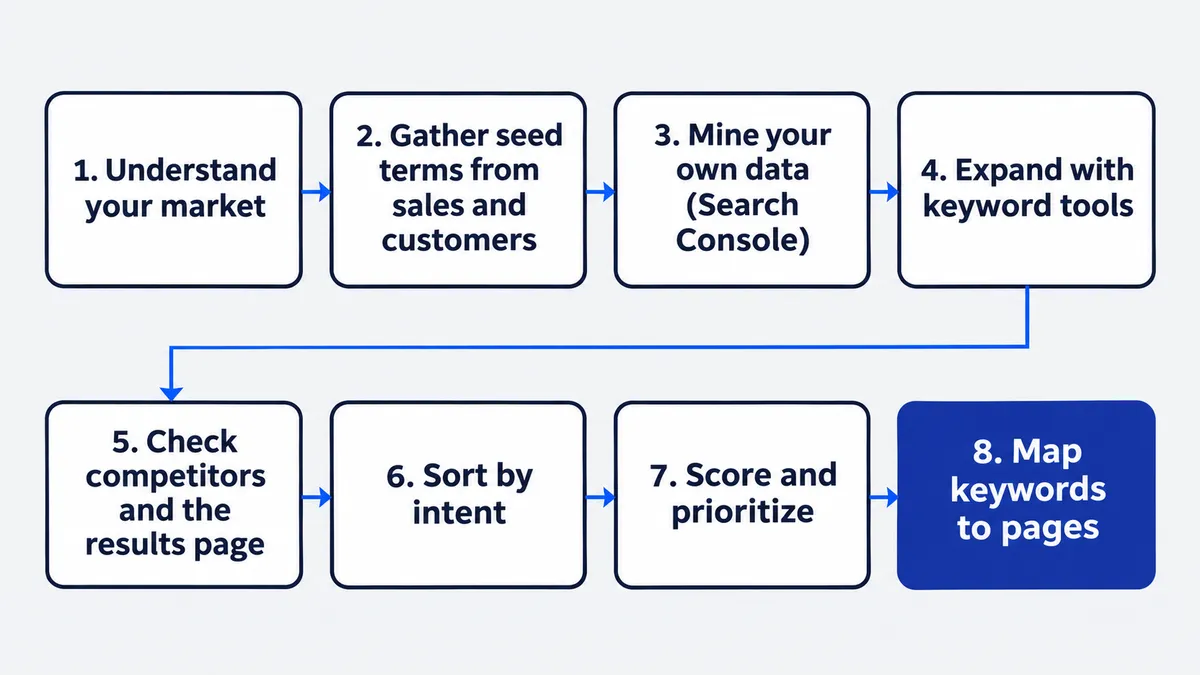
B2B keyword research is how you find the searches your buyers make at each stage of a purchase, judge which ones deserve a page, and map them to your site. It differs from consumer keyword research because few people search, each deal is worth a lot and several people are involved in the decision. Here are the eight steps, in order:
- Understand your market: define the ideal customer and the roles that buy.
- Gather seed terms from sales and customers.
- Mine the search data you already own.
- Expand the list with keyword research tools.
- Check what competitors rank for.
- Sort keywords by searcher intent.
- Score and prioritize.
- Cluster topics and map keywords to pages.
The goal is not the biggest possible keyword list. The goal is a short, scored list of queries that could influence a buying decision, with a page planned for each one. Bringing in that kind of structure is usually the first piece of work a B2B SEO agency does, and it is a job you can do yourself with a spreadsheet, Google Search Console and a few good conversations.
Why B2B Keyword Research Works Differently
B2B keyword research works differently because the audience is smaller, the stakes are higher and the language is narrower. If you copy a consumer playbook, you end up chasing big numbers that never turn into pipeline. We cover the wider comparison in how B2B SEO differs from B2C SEO, so this section sticks to what changes for keywords.
Small search volumes, high deal values
Most useful B2B terms are tiny. Ahrefs reports that almost 93% of the keywords in its US database get fewer than 10 searches a month, and a lot of B2B buying language sits in that group. One search a week from the right buyer can be worth more than thousands of searches from people who will never buy. That is why volume works as a tie-breaker in B2B, not as the first filter.
Several people, several searches
A single purchase usually involves more than one person: the day-to-day user, a team lead, someone in finance, IT or security, and an executive who signs. Each of them searches for different things. The user looks for how to fix a daily problem, finance looks for pricing and ROI, and IT looks for security and integrations. A good keyword set covers all of those roles, not just the one who found you first.
The words prospects actually use
Your website probably describes your product in marketing language. Customers describe the problem in their own words, and those words are what they type into a search box. The gap between the two is where most missed keywords hide. Closing that gap is why the work starts with people, not tools.
Step 1: Start by Understanding Your Market
The first step is to define who the research is for. Without that, every later decision about volume, intent and priority is guesswork. The output is a short profile of the company you want to win and a list of the roles inside it.
Define your ideal customer profile
An ideal customer profile (ICP) is a written description of the companies that get the most value from what you sell and are easiest for you to serve. Keep it to a page. Cover:
- Industry: manufacturing, healthcare, financial services, software or another vertical.
- Company size: headcount or revenue band, and whether you sell to small teams or large companies.
- The problem: the specific pain your product removes.
- Trigger events: the moments that start a search, such as a new compliance rule, a failed audit, a rapid hiring push or a contract renewal with a rival.
Trigger events are easy to skip, and they are some of the best sources of keywords. A company that has just failed an audit searches very differently from one that is browsing.
Map the buying committee and what each role searches for
List every role that touches a purchase and write down what each one is likely to search. A simple example for a software product:
- User: how-to and troubleshooting searches about the daily task.
- Team lead: comparison searches, “best software for” and “alternatives to”.
- Finance: pricing, cost and ROI searches.
- IT or security: integration, compliance and data-handling searches.
- Executive sponsor: broader searches about the business problem and the category.
You do not need to be exact. You are looking for angles you would otherwise miss.
Step 2: Gather Seed Terms From Sales and Customers
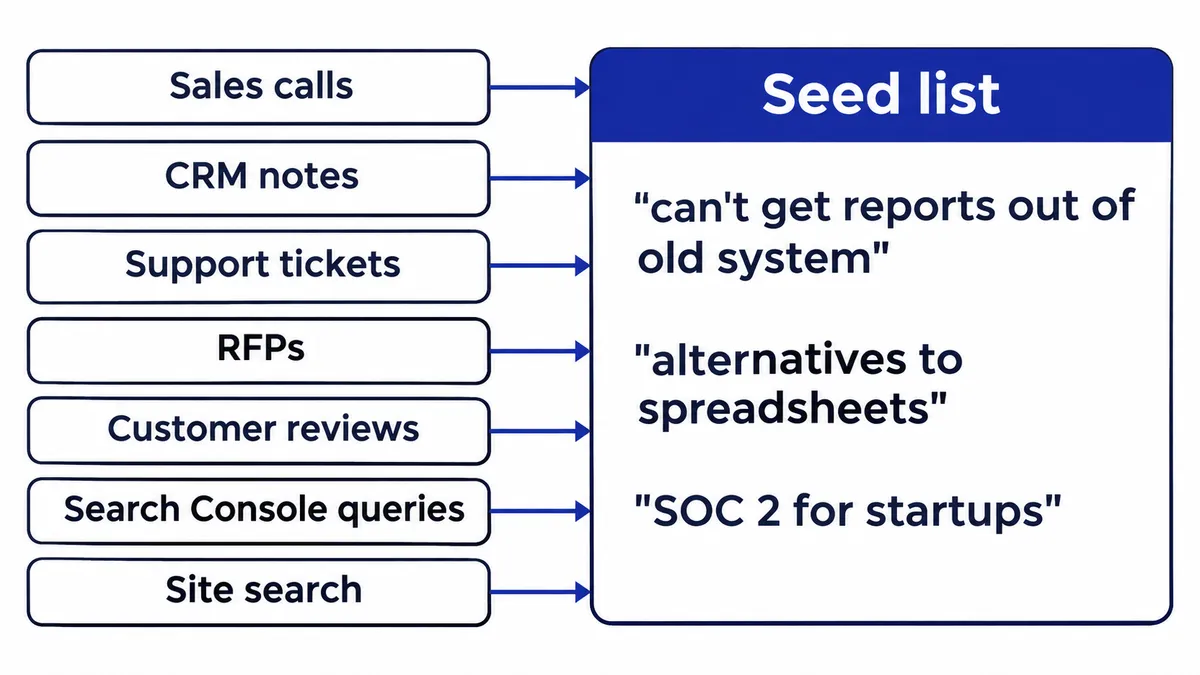
The second step is to gather seed terms from the people who talk to buyers. This is the distinctively B2B part of the work: your sales team hears real language every day, and no keyword tool can match it. The output is a raw list of phrases in your customers’ own words, with no filtering yet.
Call recordings, demos and CRM notes
Ask sales to share recordings, call notes and CRM fields. You are listening for:
- The questions prospects ask in the first call.
- The objections they raise.
- The competitors and alternatives they mention.
- The exact words they use for the problem, which are often different from yours.
Write each phrase down as spoken. “We can’t get our reports out of the old system” is a better seed than “data migration solution.”
Support tickets, RFPs, reviews and interviews
Support tickets show what customers struggle with after they buy. Requests for proposals (RFPs) and procurement questionnaires are full of industry-specific terms and compliance language that buyers use when they are close to a decision. Review sites show how customers describe you and your rivals. If you can, run three or four short customer interviews and ask one question: “What did you search for when you started looking?”
Treat seed gathering as an ongoing conversation with sales, not a one-off meeting. Ask for a fresh batch of phrases every quarter, because the market’s language changes.
Step 3: Mine the Search Data You Already Own
The third step is to look at data you already have before you pay for anything. Few guides cover it, and it often finds the quickest wins, because it shows the queries that already connect your site to real searchers.
Google Search Console queries
The Performance report in Google Search Console lists the queries that show your pages in results. Google defines the two main numbers plainly. Impressions are “how many times your site appeared in Search results,” and clicks are “the number of times a user clicked your site from Google Search results”. Look for:
- High impressions, few clicks: the page is visible but the title, snippet or content does not match what the searcher wants.
- Positions around 8 to 20: pages on the edge of page one that a small update could lift.
- Unexpected queries: phrases you never targeted but that your pages already attract.
There is one limit to know about. Google says Search Console leaves out anonymized queries “to protect the privacy of the user making the query”, so some long-tail searches will never appear in the report.
Site search and paid search terms
If your site has an internal search box, the logs show what visitors could not find. If you run Google Ads, the search terms report shows the exact phrases that triggered your ads. Both are real wording from real people, and both feed your seed list at no extra cost.
Step 4: Expand the List With Keyword Research Tools
The fourth step is to turn the seed list into a full list with numbers. Tools help you find variations, related questions and rough demand. They do not tell you what your buyers care about, which is why they come after steps 1 to 3.
Free sources
You can get a long way without paying. Useful free sources:
- Google autocomplete: type a seed term and note the suggestions.
- People Also Ask: the related questions box on the results page.
- Related searches: the list at the bottom of the results page.
- Google Keyword Planner: free with a Google Ads account.
Keep Keyword Planner’s limit in mind. Google states that keywords with very low search volumes “aren’t discoverable or forecastable”, which matters a lot in B2B, where many good terms are small.
Paid tools and what their numbers mean
Tools such as Ahrefs and Semrush give you search volume, keyword difficulty and cost per click (CPC) for each term. Read those numbers carefully:
- Search volume is an estimate of monthly searches, not an exact count.
- Keyword difficulty is a rough guide to how hard the page one results are to beat.
- CPC is a hint of commercial value. Advertisers pay more where searches lead to sales.
AI chat tools are useful for brainstorming variations and phrasing. They do not hold real demand data, so check anything they suggest in a real keyword tool before you plan a page around it.
Step 5: Check What Competitors Rank For
The fifth step is to see which keywords your competitors rank for that you do not. Keep this step short, because competitor research is its own subject. If you want the full method, read our guide to a full B2B competitor SEO analysis.
For keyword research, two checks are enough:
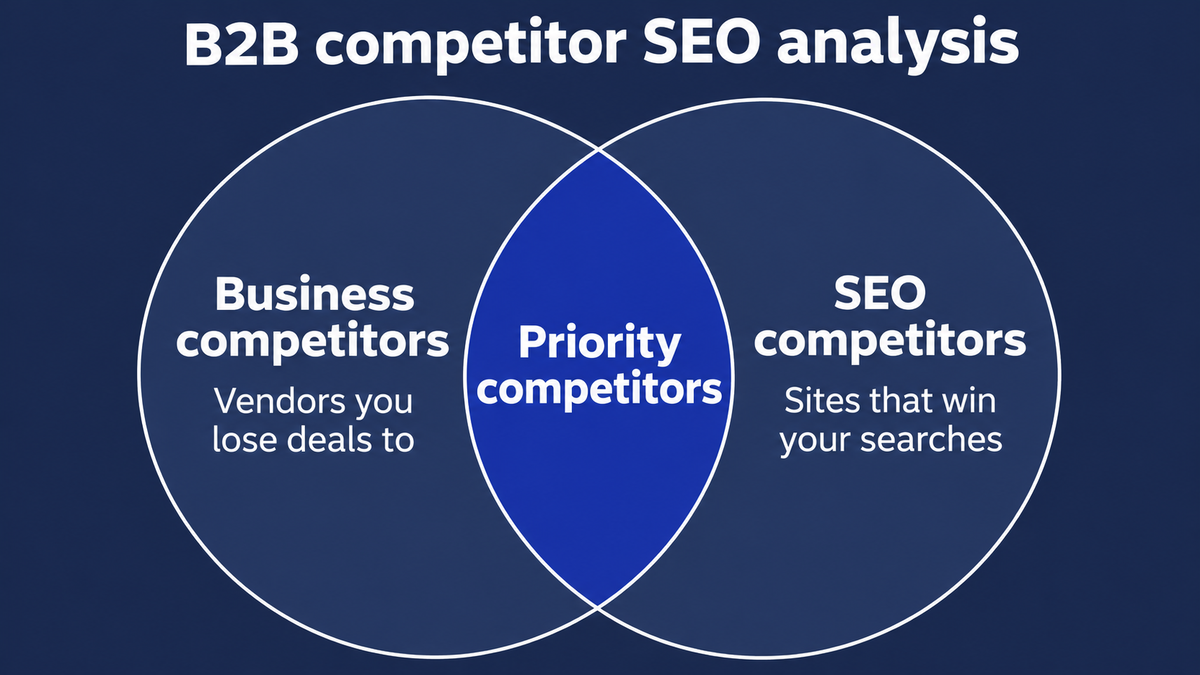
- Run a keyword gap check against three to five real competitors. Pick the companies your sales team loses deals to, not only the ones that show up in search. A keyword gap report lists terms they rank for and you do not.
- Look at the results page for each priority keyword. Which page types rank: guides, comparison pages, product pages? That tells you what you would need to publish. If a competitor already outranks you for a term you care about, our post on why a competitor outranks you explains the usual reasons.
Step 6: Sort Keywords by Searcher Intent
The sixth step is to label every keyword with its intent and funnel stage. A keyword is only useful if the page you build matches what the searcher wants. A buyer searching “pricing” does not want a blog post, and a buyer searching “what is” does not want a demo form.
Keyword intent and funnel stage
Use this table as a starting point and adjust the modifiers for your sector.
| Funnel stage | What the buyer is doing | Example modifiers | Page type |
|---|---|---|---|
| Awareness (problem) | Learning about a problem | what is, how to, why, signs of | Guide or blog post |
| Consideration (solution) | Comparing ways to solve it | best, software, tools, vs, alternatives, for [industry] | Comparison or solution page |
| Decision (vendor) | Choosing a supplier | pricing, demo, reviews, [brand] vs [brand], implementation | Product, pricing or case study page |
Keyword modifiers that signal buying stage
Keyword modifiers are the words added to a core term that reveal where the buyer is. A few worth tagging in your list:
- “Best” and “top”: the buyer is building a shortlist.
- “Vs” and “alternatives”: the buyer is comparing named options, often close to a decision.
- “Pricing” and “cost”: the buyer is checking budget fit.
- “Demo,” “trial” and “quote”: the buyer is ready to talk.
- “How to” and “what is”: the buyer is still learning.
- “For [industry]”: the buyer wants proof that you understand their sector.
Step 7: Score and Prioritize Your Keywords
The seventh step is to score each keyword so you can decide what to build first. Volume is a tie-breaker here, not the first filter. A keyword with modest volume that fits your ICP, signals buying intent and ties to your best service beats a bigger term that attracts the wrong audience.
Use the table below as a starting template and change the criteria to suit your business. Score each keyword from 1 to 3 on each line, add up the points and work from the top.
| Criterion | Question to ask | Score 1 / 2 / 3 |
|---|---|---|
| ICP fit | Would the searcher match our ideal customer? | 1 = unlikely, 2 = maybe, 3 = clearly |
| Buying stage | Does the intent point toward a purchase? | 1 = early learning, 2 = comparing, 3 = ready to buy |
| Business value | Does it tie to a product line or high-value service? CPC can hint at this. | 1 = weak tie, 2 = some tie, 3 = direct tie |
| Ranking feasibility | Can we realistically compete with what ranks now? | 1 = unlikely, 2 = possible, 3 = good chance |
| Search demand | Is there tool volume or other evidence, such as how often sales hears it? | 1 = little, 2 = some, 3 = clear |
Here is how the scoring plays out in practice. Say two terms both look attractive. The first has higher tool volume but attracts students and researchers, so it scores 1 on ICP fit and 1 on buying stage. The second has almost no measured volume but your reps hear it on half their calls, and it names a problem your product solves directly. It scores 3 on both. The second term wins, and the total makes that obvious without a long debate. Scoring also gives your marketing team and your reps a shared way to argue about priorities, because the argument moves from opinions to criteria.
After scoring, split the top of the list into quick wins and long bets. A keyword with a high score and a page that already sits on page two usually comes first, because an update to an existing page is faster than a new one. Long bets are high-scoring terms where you have no page yet or face strong competition. Plan those as larger projects.
Step 8: Cluster Topics and Map Keywords to Pages
The eighth step turns the scored list into the deliverable: a keyword map that says which page targets which keyword. This is where the research becomes a plan you can hand to a writer.
One primary keyword per page
Group keywords that share the same intent and would be answered by the same page. Give each page one primary keyword and a few supporting terms. If two keywords need different answers, give them separate pages. If you create two pages for the same intent, they compete with each other, a problem called keyword cannibalization, and neither does as well as one stronger page would.
What a keyword map looks like
The table below is an illustrative example for a made-up company that sells fleet maintenance software. It uses a score column in place of demand figures, because the example is not real data.
| Cluster | Primary keyword | Supporting terms | Intent | Page type | URL | Priority |
|---|---|---|---|---|---|---|
| Preventive maintenance | preventive maintenance software for fleets | fleet maintenance scheduling, PM checklist | Consideration | Solution page | New: /solutions/preventive-maintenance/ | Score 13, build first |
| Compliance | DOT inspection tracking software | DVIR software, inspection reminders | Consideration | Solution page | Existing: /solutions/compliance/ | Score 12, update |
| Comparison | fleet maintenance software alternatives | [competitor] alternatives, switching from spreadsheets | Decision | Comparison page | New: /compare/alternatives/ | Score 12, build second |
| Education | how to reduce fleet downtime | vehicle downtime causes, maintenance cost per mile | Awareness | Guide | New: /blog/reduce-fleet-downtime/ | Score 9, build later |
| Integrations | fleet maintenance software with telematics integration | GPS data sync, ELD integration | Consideration | Integration page | New: /integrations/telematics/ | Score 10, plan |
Keep the map in a spreadsheet and update it as you publish. A written plan, even one short document, helps here: it states who you target, which stages you cover first and what you will leave out. It is also the document that links keyword research to the rest of the SEO plan. If you want to see where keyword research fits in a B2B SEO agency’s process, that post walks through the other stages. For ongoing help turning a map into pages that rank, our SEO services cover the full workflow.
Keyword Types Worth Targeting in B2B
Five types of keywords come up again and again in B2B research. Use them as prompts when you review your list for gaps.
Long-tail keywords
Long-tail keywords are longer, more specific phrases such as “SOC 2 compliance software for startups.” They get few searches each, but the searcher knows what they want, and competition is lower. Most B2B opportunities sit here.
Industry-specific modifiers
Industry-specific modifiers are words that tie a generic term to a sector or requirement: “for manufacturers,” “for law firms,” “HIPAA compliant,” “SOC 2.” They show that a buyer has a real constraint, and they let a smaller company stand out against bigger rivals.
Comparison and alternative keywords
Searches such as “[product] vs [product]” and “[product] alternatives” come from buyers who already know the category and are choosing. Pages for these terms need honest comparisons, not sales copy.
Integration and use-case keywords
Buyers often search for how a tool works with the systems they already use: “[your category] for Salesforce” or “[your category] with SAP.” Use-case terms describe a specific job, like “invoice approval workflow for accounts payable.” These are narrow and high intent.
Problem and pain-point keywords
Pain-point keywords describe the trouble before the buyer knows the solution: “why do our reports take so long” or “how to reduce manual data entry.” The volume can be small, but the searcher has a live problem, and a good guide here starts a relationship early.
What About Low and Zero Search Volume Keywords?
You should target low and zero search volume keywords when you have evidence that buyers use the phrase. A zero in a tool is a data gap, not proof that nobody searches. Tool databases and Keyword Planner do not capture very low-volume terms, and Google said in 2017 that 15 percent of the searches it sees every day are new. That is a 2017 figure, but it shows how much search activity never shows up in a keyword database.
How to validate a keyword the tools can’t see
Look for proof in more than one place:
- Sales frequency: how often do your reps hear the phrase?
- Search Console impressions: do close variants already show impressions for your pages?
- The results page: does Google show relevant results and a People Also Ask box for the phrase?
- Competitors: do rivals have a page for it?
- A small paid test: an optional low-budget search ad campaign can show whether the phrase gets impressions.
When to skip a keyword
Skip a keyword when there is no buyer evidence and no clear page to put it on. A phrase you made up with no sign that anyone searches for it is a guess, however well it fits your product.
How AI Search Changes Keyword Research for B2B
AI search changes B2B keyword research in two ways: buyers ask longer questions, and the systems answering them look across a whole topic. The basics still apply, but the research should collect questions as well as short keywords. If you want the wider picture, our post on how SEO, GEO and AEO fit together explains how the disciplines relate.
Prompts are longer and more specific
People ask AI assistants full questions with context: their role, their company size and their constraints. “What is the best fleet maintenance software for a 50-truck company that uses a specific telematics provider?” is a normal prompt, and nobody types that into a search box. Add prompt-style questions to your seed list. Sales call questions are the best source, which ties back to Step 2.
Query fan-out rewards topic coverage
Google explains that AI Overviews and AI Mode may use a “query fan-out” technique, “issuing multiple related searches across subtopics and data sources.” That means one prompt can trigger many searches behind the scenes, and covering a topic well matters more than winning one phrase. Plan clusters of pages that answer the connected questions around a theme.
Google’s AI features documentation also says there are “no additional requirements to appear in AI Overviews or AI Mode, nor other special optimizations necessary.” In other words, good keyword research and useful content still do the work. If you want to go deeper, our pages on generative engine optimization and answer engine optimization cover the AI side, and you can learn to track your AI visibility once pages are live. Buyers who get an answer without clicking is a related shift, covered in our post on zero-click searches.
Common Keyword Selection Mistakes
Most failed research comes from a short list of avoidable mistakes:
- Chasing volume: big numbers attract the wrong audience in B2B. Score for fit first.
- Using marketing language instead of customer language: if buyers never say your phrase, nobody searches for it.
- Skipping sales input: your reps hear the market every day, and skipping that conversation throws away the best data you have.
- Treating research as a one-off: the market and its language move, so the list needs regular updates.
- Creating one page per keyword variant: this causes cannibalization. Group variants that share an intent.
- Ignoring intent: writing a blog post for a “pricing” query, or a sales page for a “what is” query, wastes the work.
- Trusting tool volumes as exact: they are estimates, and low-volume terms are the least reliable.
Putting the Keyword Map to Work
A keyword map only pays off when it drives what your marketing team publishes. This is where the plan meets execution, and where a good keyword strategy separates itself from a long spreadsheet nobody opens.
Match each keyword to a content format
Start with the format that fits the intent. Awareness themes suit guides and explainers. Consideration themes suit comparisons and solution write-ups. Decision themes suit case studies, pricing explanations and implementation details. Technical buyers often want documentation-style content with specifics, while executives want a short, plain summary of the business case. Write the brief for each piece from the map: the primary keyword, the supporting terms, the buyer role and the question the content must answer in its first two sentences.
Sequence the work to support demand generation
Content marketing in B2B supports demand generation in two ways: it helps people who are already searching find you, and it builds familiarity with those who are not ready yet. Build bottom-of-funnel content first, because it reaches people closest to a decision. Then fill in the middle with comparisons and use-case content, and add educational content last. Digital campaigns, outreach and email can then point to the same assets, so one piece of research supports several channels.
How the work shifts by industry
The steps stay the same, but the language and the buying group change by sector:
- SaaS: integrations, alternatives and use-case terms matter most, and teams compare many tools quickly.
- Industrial: searchers use exact specifications, part and standard names, and certifications. Many of these terms are rarely searched but high value.
- Enterprise: security, compliance and procurement language matters, and more roles take part in each decision, so cover the whole committee from Step 1.
- Professional services: people search for a specific problem plus a location or specialty, so sector and specialty modifiers do a lot of work.
Test your assumptions against real conversations in each sector. A short round of testing, such as a few new articles aimed at a specific group, tells you faster than any tool whether your reading of that market is right.
Build one working spreadsheet
A repeatable setup keeps keyword research from turning into a one-off project that goes stale. You do not need much: one shared spreadsheet, access to Search Console, one paid tool if your budget allows it, and a standing slot with the team that talks to prospects.
Use a single sheet with a row per term and a column for each fact you collect: the phrase, where it came from, the intent, the funnel stage, the score and the planned URL. Add a column called “source” and fill it in honestly. A term that came from three separate sales calls deserves more trust than one that came from a tool suggestion alone. Keeping the source also helps later, when someone asks why a topic made the plan.
Set a rhythm with the team
Marketing owns the spreadsheet, but the inputs come from other teams. Ask customer success for the questions they answer most often. Ask the product team what is launching and what language they use for it. Ask your reps to drop new phrases into a shared note each week, so the quarterly review starts with fresh material instead of memory. A thirty-minute monthly check-in is enough to keep that flow going.
Tie the work to a written strategy
Write the strategy down in a few lines: the audience, the three or four themes you want to own, the order you will build in and how you will judge progress. A short keyword strategy keeps the team aligned when priorities shift, and it gives new hires a way to understand why the plan looks the way it does. Review it whenever the map changes.
Decide what you will not do
Every strategy needs a stop list. Write down the subjects that do not fit your ICP, the markets you do not serve and the terms that attract the wrong audience. That list keeps your marketing strategy away from traffic that cannot turn into revenue, and it gives writers a clear answer when someone suggests a popular but irrelevant topic.
Review the research every quarter
Keyword research is never finished. Markets change, products change and so does the way people phrase a problem. Plan a light pass every quarter: check Search Console for new queries, scan recent sales notes for new language and look at whether the pages you published are earning impressions. When a launch, a new market or a change to your ICP arrives, run the whole process again from Step 1.
Pay attention to the signals that say your assumptions are out of date. A new competitor that shows up on the results for your best terms is one. A drop in impressions on a cluster that used to perform is another. So is a shift in the questions your prospects bring to calls. Each of these is cheap to spot if you have a rhythm in place and expensive to spot late.
The Eight Steps at a Glance
You now have the full process: understand the market, gather seed terms, mine your own data, expand with tools, check competitors, sort by intent, score and map. The output is a scored keyword map where every priority keyword has a page. A light review each quarter keeps it current, and a full redo makes sense when you launch a product, enter a new market or change your ICP. That cadence is advice, not data, so adjust it to how fast things move in your sector.
Good keyword research also feeds your wider content marketing and keyword strategy, because the map tells you what to publish and in what order. If you want someone to review your list or build the map for you, you can talk to us about your keyword research.
Frequently Asked Questions
What is the process of keyword research?
Keyword research follows a set order: define who you are researching for, gather seed terms, expand them with tools, check what competitors rank for, sort keywords by intent, prioritize them and map each one to a page. The B2B version adds guidance from sales and customers and scores keywords by buyer fit instead of search volume alone.
How is B2B search different from B2C search?
B2B searches are fewer, deal values are higher and several people take part in each purchase. The vocabulary is also more specialized. Volume matters less than whether the searcher looks like a buyer you can serve, so B2B research leans on sales conversations and scoring for fit.
Should B2B companies target keywords with zero search volume?
Yes, when you have evidence that buyers use the phrase. Good evidence includes questions your sales team hears, Search Console impressions for close variants and a search results page full of relevant content. Keyword tools miss many low-volume terms, so a zero in a tool is not proof that nobody searches for it.
How often should you redo your research?
A light review every quarter is a sensible habit: check new queries in Search Console and new questions from sales. Do a full redo when you launch a product, enter a new market, change your ideal customer profile or see buyers shift how they search, for example toward AI assistants. This is our recommendation, not a fixed rule.
What is the rule of 7 in B2B?
The rule of 7 is a marketing rule of thumb that a prospect needs to see or hear from a brand about seven times before acting. It is not a measured law. For keyword research the useful takeaway is that B2B buyers search many times across a purchase, so plan content for every stage.
What is the 80/20 rule of SEO?
It is the Pareto principle applied to SEO: a small share of your pages or keywords usually drives most of your results. It is a rule of thumb, not a fixed ratio. In practice it is the reason to score and prioritize keywords before writing anything.

Written by
Adriaan van Swieten
Adriaan leads Stijg Media and works directly on search, AI visibility, websites, and local growth strategy.
Meet Adriaan